jenkins构建node项目
nodeJs(14.16.0)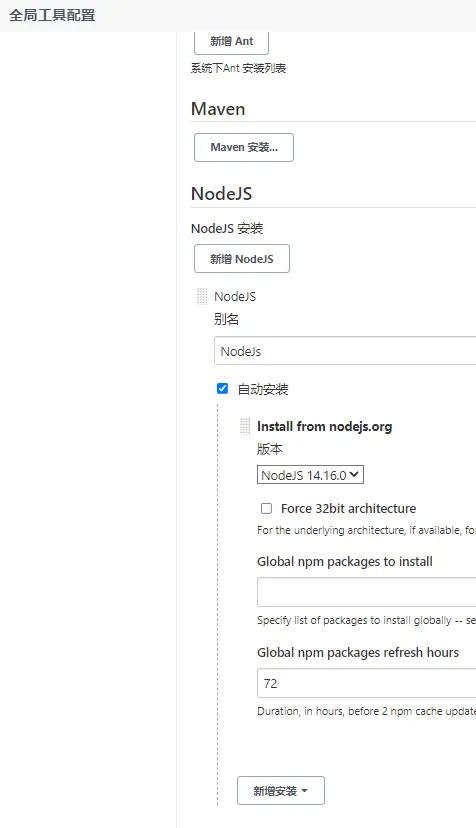
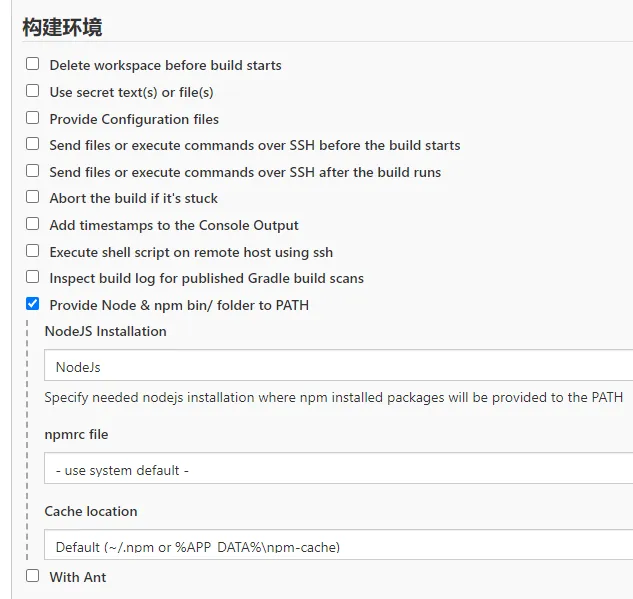
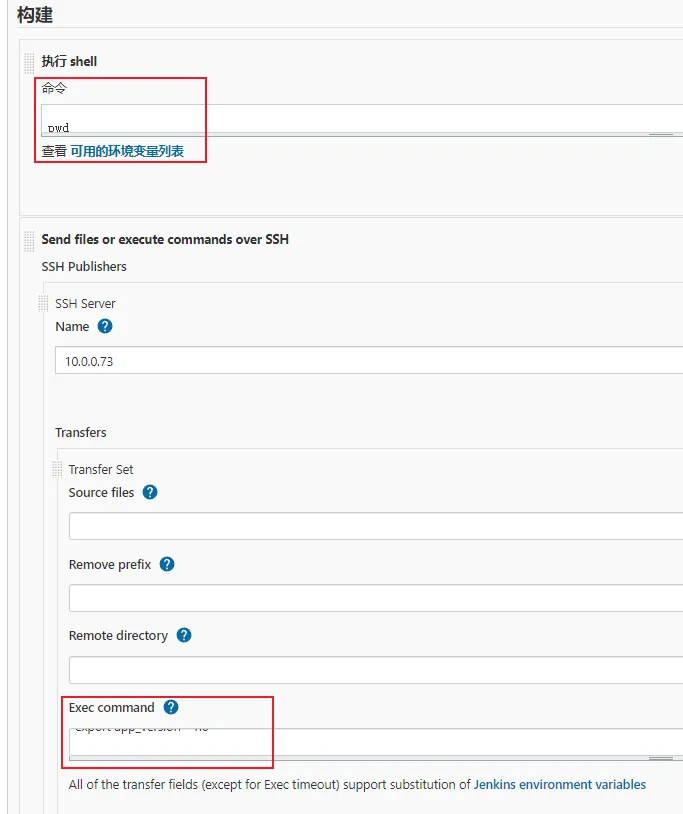
执行shell(在jenkins里执行)
Section titled “执行shell(在jenkins里执行)”pwd
# 安装依赖(非必须)npm --registry https://registry.npmmirror.com/ install# 构建项目npm run build:test
# 删除除 node_modules和dist 以外的所有内容ls | grep -v 'node_modules\|dist' | xargs rm -rfSend files or execute commands over SSH(通过ssh远程执行shell)
Section titled “Send files or execute commands over SSH(通过ssh远程执行shell)”export app_version='1.0'
cd $DOCKER_WORKSPACE/$JOB_NAME
mkdir -p ./nginx/conf.d/
# 添加default.conf文件tee ./nginx/conf.d/default.conf <<-'EOF'server { listen 80; listen [::]:80; server_name localhost;
#access_log /var/log/nginx/host.access.log main;
location / { root /usr/share/nginx/html; index index.html index.htm; try_files $uri $uri/ /index.html; # 用于解决刷新页面后,显示404的问题 }
}EOF
# 编辑Dockerfile文件echo "FROM nginx" > Dockerfileecho "MAINTAINER Fa" >> Dockerfileecho "WORKDIR /usr/share/nginx/html" >> Dockerfileecho "RUN rm -rf *" >> Dockerfileecho "ADD ./dist ." >> Dockerfileecho "ADD ./nginx/conf.d/default.conf /etc/nginx/conf.d/" >> Dockerfileecho "EXPOSE 80" >> Dockerfile
# 构建镜像docker build --no-cache -t $JOB_NAME:$app_version .
# 上传镜像到私服docker tag $JOB_NAME:$app_version registry.docker.com:5000/$JOB_NAME:$app_versiondocker push registry.docker.com:5000/$JOB_NAME:$app_version
# 删除空镜像docker images | awk '{if($1=="<none>")print $3}' | xargs docker rmi &> /dev/null
# 编辑stack yml文件tee $JOB_NAME.yml <<-'EOF'version: '3.5'services: $JOB_NAME: image: registry.docker.com:5000/$JOB_NAME:${app_version} ports: - target: 80 published: 3230 mode: host networks: - middleware deploy: replicas: 1 update_config: parallelism: 1 restart_policy: condition: on-failurenetworks: middleware: external: trueEOF
docker stack up -c $JOB_NAME.yml app
# 删除除 node_modules 以外的所有内容ls | grep -v 'node_modules' | xargs rm -rf